Building a PLC-Style Industrial Simulator Directly in Ignition
Why PLC Simulation Is Critical for MES and OEE Projects
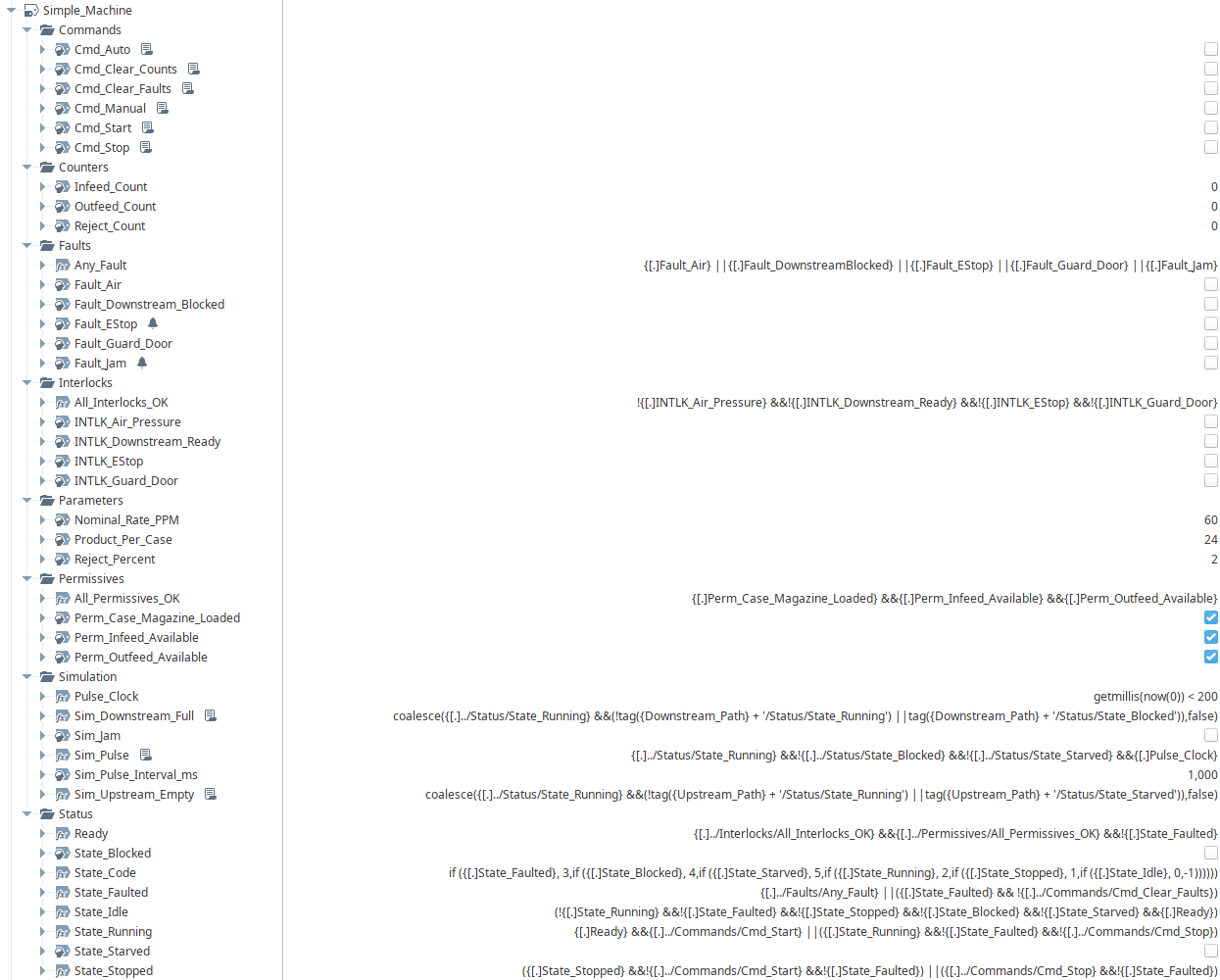
In many MES and OEE projects, progress slows not because of design issues, but because simulation isn't readily available. Waiting on a controls engineer to stand up PLC simulation logic—or to make small tweaks when requirements change—can delay validation, testing, and stakeholder buy-in. To reduce that dependency, I built an industrial device and line simulator entirely within Ignition, using UDTs, expression tags, and change event scripts to closely emulate real PLC simulation logic.

Using Ignition UDTs to Emulate PLC Logic
The core goal was realism. Rather than a high-level “on/off” simulator, I focused on modeling behavior the same way it would be implemented in PLC code. The simulator is built around a reusable UDT structure that mirrors typical equipment programming: command tags, latching logic, state machines, and Hand-Off-Auto (HOA) modes. Each simulated machine behaves like a real asset from an MES point of view, making it suitable for downstream testing without needing live PLC hardware.
A key component of the design is downtime behavior. Machines don't simply stop instantly when a sibling machine goes down. Instead, configurable delays determine when assets become starved or blocked, closely matching how real production lines behave. This allows more accurate OEE calculations, downtime attribution, and state transitions during testing.
Fault handling is also built in. Faults can be triggered, acknowledged, and cleared just like they would be on the plant floor. Reject generation is supported, making it possible to test quality logic and reject tracking end-to-end. For packaging operations, simulated packers automatically convert incoming units into cases, ensuring counts remain realistic at each level of aggregation.
Simulating Downtime, Starved, and Blocked States
Rates are configurable at both infeed and outfeed points, allowing quick what-if testing without rewriting logic. Need to slow a machine, simulate accumulation, or test downstream constraints? Adjusting a few parameters is often all that's required. Additional downtime events, failure modes, or equipment states can also be layered in over time without disrupting existing logic thanks to the modular UDT design.
One of the biggest benefits of this approach is independence. MES development, OEE configuration, and testing can move forward even when PLC resources are limited or unavailable. It also provides a shared reference point—engineers, developers, and stakeholders can all see how the system behaves under realistic conditions before it ever touches real equipment.
Benefits of Ignition-Based Simulation for MES Development
By leveraging Ignition's tag system and scripting capabilities, this simulator bridges the gap between controls logic and higher-level applications. It's not a replacement for real PLC simulation, but it's a powerful tool for accelerating development, validating assumptions, and reducing friction across teams—especially when time and resources are tight.
Inductive Automation's user manual for Ignition is extensive and goes into more depth on the platform's tag system and scripting capabilities. The section on User Defined Types (UDTs) can be found here: User Defined Types - UDTs | Ignition User Manual
Disclaimer: This post was written with the assistance of AI via Microsoft Copilot.
Using AI in the writing process significantly influenced both how efficiently I communicated my ideas and how I presented myself professionally. Rather than replacing my technical knowledge or experience, AI acted as a structured thought partner—helping me organize complex engineering concepts into a clear, coherent narrative that would resonate with a broader audience. It encouraged me to step back from purely technical descriptions and instead frame the work in terms of value, impact, and problem-solving outcomes. This shift improved the clarity and tone of the post, making my experience more accessible while still maintaining technical credibility.
From a professional self-presentation standpoint, AI helped reinforce clarity, confidence, and consistency in my voice. It allowed me to focus more on refining what I wanted to communicate rather than getting bogged down in how to say it. The result is a piece that better reflects my role as both a technical practitioner and a solution-focused professional—someone who not only builds systems, but also understands their broader business and operational context.